Saturday Evening Post: The Bleeding Edge

It’s probably well known, that I have a love/hate relationship with Adobe. Well, not all Adobe, just Lightroom in particular. It’s a product that I love to hate.
And to be fair, it has managed my library for the past 10 years or more, so perhaps it should be a more of a tolerant relationship.
And no, I’m not going to highlight each of the niggles that I have. Just I’m always on the lookout for a better library manager. But recent changes to the suite has caused me to perhaps reconsider my position.
I’ve never been enamoured by their raw converter, much preferring Capture One, Raw Power, or DXO and even Nikon Capture/Studio (in no particular order) to deal with my NEF file conversion.

However some recent changes seem to me to have finally given me the result I was looking for at import. All good.

I’ve often said about the enhancement of images, (these days euphemistically called ‘post-processing’) that I’d happy with a copy of Photoshop 5.5 with its clever—then released—Masking Layers, Brushes and Curves tool for just about all the changes I need to make. (ps. I try not to spend hours in front of screen, pulling first this or then that slider, hoping to produce a prize-winner out of something that I’d normally send to the Trashbin.)

When I was travelling extensively PS5.5 running on a little Libretto Toshiba notebook did all of the heavy lifting for me. And given the size of the Libretto (it was only just a little larger in size to an Iphone 15 Max) just fitted in one palm, it wasn’t a bad effort. (How times change)
And I was much happier to move to the first Macbook Air with a decent size keyboard.

But… Back to Adobe
Lightroom in particular.

To keep up with the latest and greatest, of course, Adobe have introduced several AI components into the Lr suite. One of which is the Generative AI Removal tool. Swipe over the ‘offending’ intrusion into the perfect composition, hit the “Apply Button” pause to take a breath, and there before your very eyes like some magician’s trick, ‘it’s’ Gone… And just to be sure, new buttons offer three. (Count them. 3 ) choices of result.

Wannaseehowitworks? Well I did too.

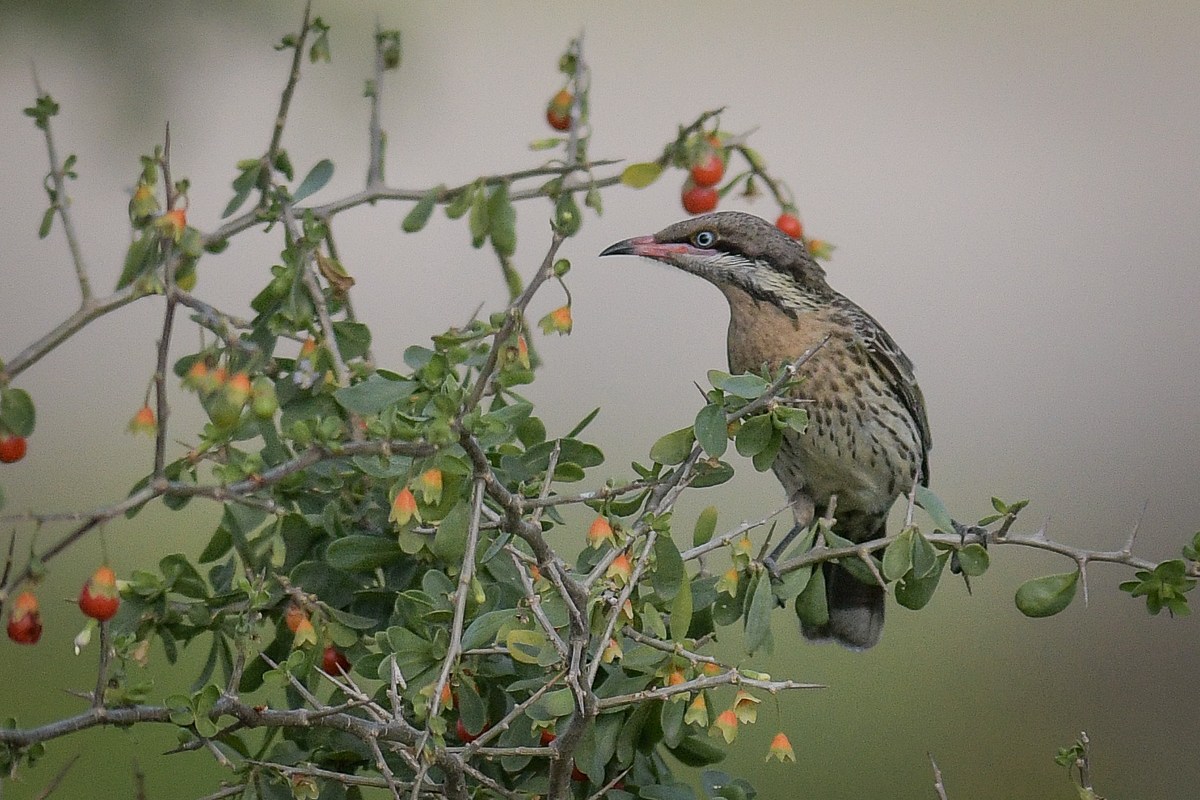
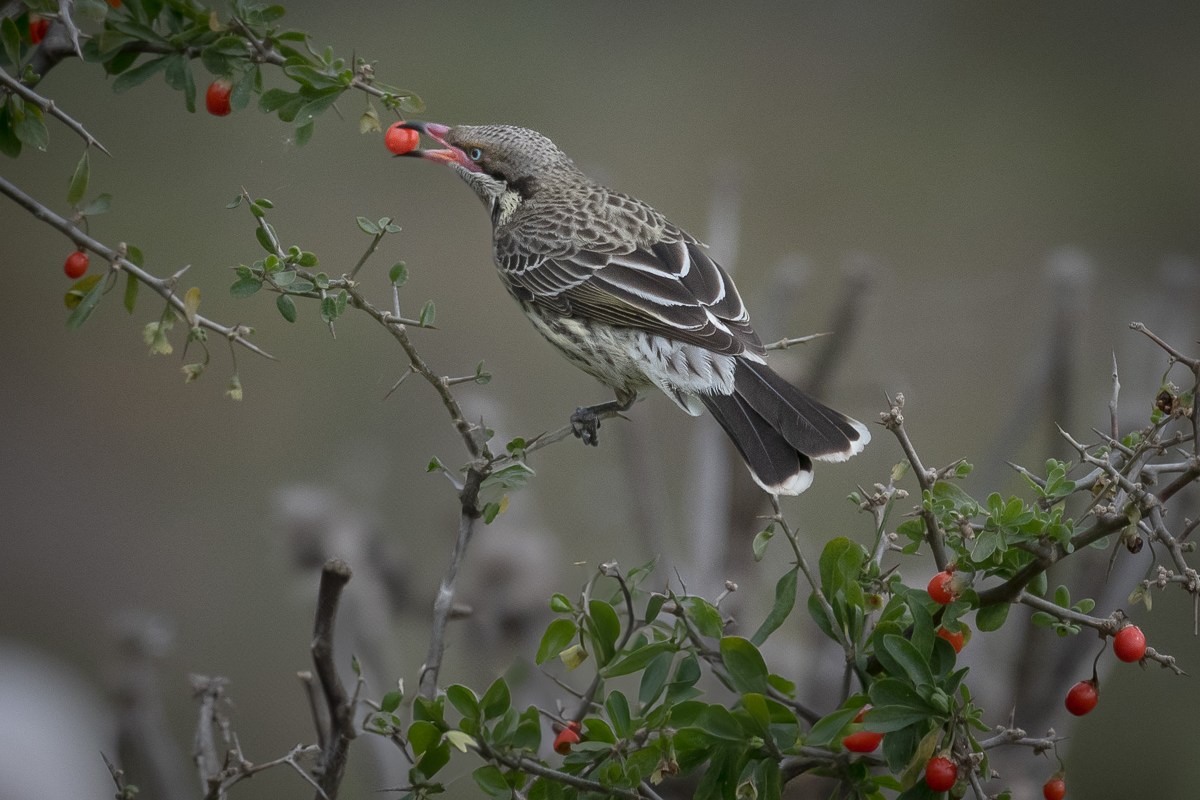
As it turned out while I was working with some Spiny-cheeked Honeyeaters on boxthorn (see last week’s post) a clever little Sparrow landed on the bush just in front of my moment.
Yep, I could have cropped around it, and neither you or I would have had to wade all the way down here, But I thought. Why not?
Why not indeed, so.
I did.

With and Without Sparrow. Version #1 with some space under the bird and a clever addition to the branch

Version #2 filling in the space. Version #3 creating a nice branch that can support the bird.
You can click on the pics to get a full size view of each pair.

I know. Scary.
And of course no one is every going to believe anything else I post again. 🙂
Some, suspicious that we are, might even be wondering. Did he actually paste the Sparrow in from another shot? 🙂

Like many of the ‘new’ features using AI, personally I don’t find the need compelling. But for those days when the wind is howling outside, the rain is pitching down and I’ve crawled out from under the doona long enough to make a cup of the Earl of Grey, it does while away a bit of time.

Here’s to some warm sunny Spring days soon.

Along the Track: Feeding Frenzy

On Saturday Night, I told the tale of the boxthorn bonanza that several species are engaged in at present.

The only real winner of course is the boxthorn as its seeds are spread far and wide by the steady stream of diners at the fest.
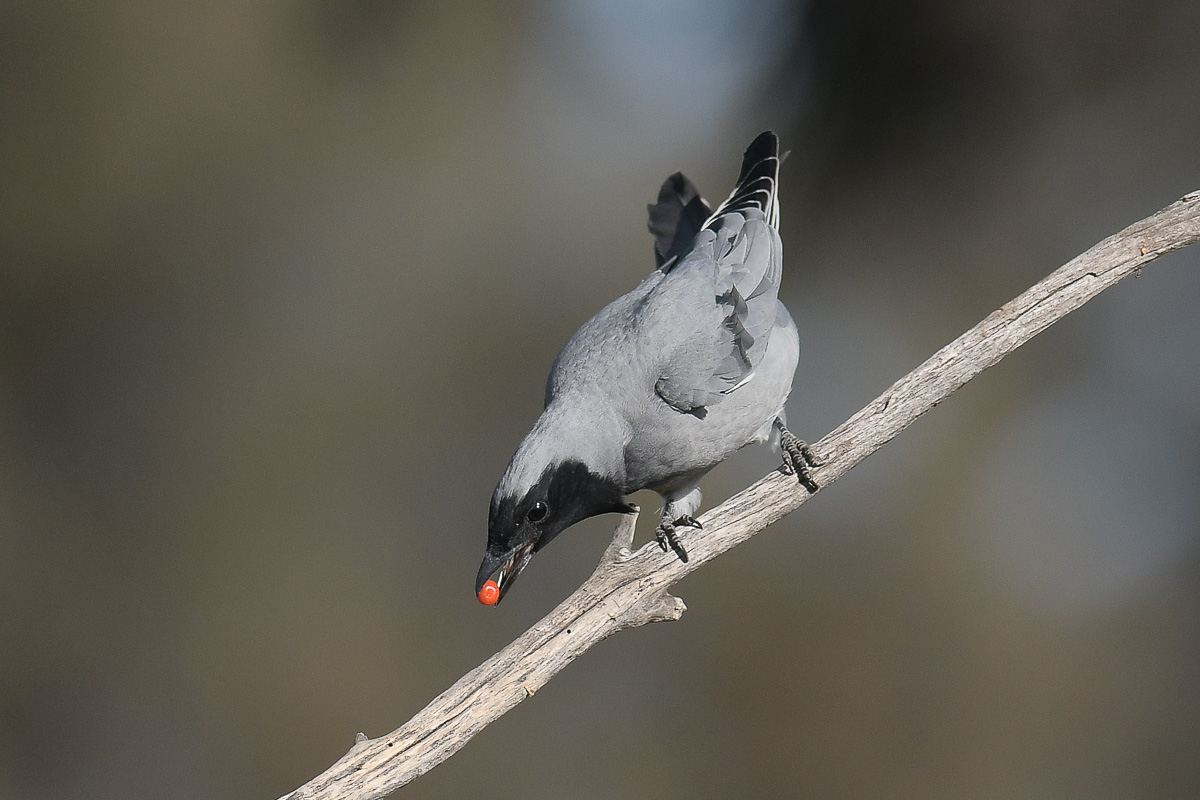
It is unusual, I think, to see more than one or two Black-faced Cuckoo-shrike in an area. In most locations where we find them, a pair, and perhaps a juvenile are the usual suspects. It is however noted in many areas that they gather in large flocks of 100 or more, particularly in the non-breeding season. Perhaps they are partly nomadic over winter.

So it was quite a surprise to find at least 14 of them coming and going regularly to the boxthorn playground. It seemed that on a whim, they would all fly out of the trees and disappear, which made it easy to work out the numbers.
And.
Equally on a whim, first one or two would return, followed rapidly by the remainder of the flock.
They have a lovely low call, often described as a soft churring, or more creatively as a yodelling like trill

Their flight pattern is best described as a few wing-flaps and an undulating glide with the wings against the body, repeated. So the flight is a series of rises and falls. They are neither a Cuckoo, nor, a Shrike. In New Zealand, one of the common names for them is “cherry hawk” And no doubt their fruit preference is to blame.
When they land, they will inevitably ‘shuffle’ their wings back and forth, earning them the nicknames “Shufflewing” or “Wingshuffler”.

When I first turned to bird photography they were among the earliest birds I photographed.

Over the past week, as the weather has been kind, we have visited their festive area several times and watched the comings and goings as they feed.
Here is a sample of the few days.

Enjoy

Saturday Evening Post: Incongruity

South African Boxthorn is a highly invasive plant, imported into Australia, around the 1880s. The purpose was to provide hedgerows for land demarkaction.
The plant, however, because of it’s evasive properties, had other ideas, and quickly spread out beyond the intended purpose.

Like many of the ‘imports’ into Australia, such as rabbits, foxes, prickly pear, cats, deer and a host of other unmentionables, (including land-lice—first nations word for sheep), and South African Boneseed, whatever the intended and seemingly harmless (insert profit here) reason, the pests became feral and are now for all intents and purposes beyond complete eradication.

Boxthorn has a fruit that starts out green but ripens to a rich red/orange. Each fruit can contain as many as 70 or more seeds, each capable of germination. Given a two metre high plant can contain thousands of the little red invaders, it’s not hard to see how it was able to get away from control. Add to that, it is quite capable of sprouting from a broken, or cut twig, or branch, and the problem simply gets larger.
Early attempts to simply plough them back into the ground, just gave them the space needed to spread even further.

Poisons work, as does cutting them down, stacking them to air dry, and treating the roots. All of which adds up to hard work, and while effective, like dealing with another feral, like Boneseed, needs constant attention.
So in lots of places, by the roadside, in open bush land and forest, the plant just carries on its merry way.

Nearby to us is a small abandoned piece of roadway and some open paddock. It has several stands of boxthorn. At present the plants are in fruit, and a number of local birds have added the berries to their diet. Cockatoos, some parrots and honeyeaters make the most of the offering, and of course, either drop the seeds, or carry them to be deposited when they excrete else where.
Two birds I’ve never seen on boxthorn before are Black-faced Cuckoo-shrikes, and Spiny-cheeked Honeyeaters. However for some reason, the nomad honeyeaters and the Cuckoo-shrikes have been very busy in the small area, and over a matter of a week or so have practically stripped the plants of fruit.

Round one to the Boxthorn.

Saturday Evening Post: Leftie

For some reason, and I don’t know why, most cockatoos tend to be ‘left-footed’.

There is some evidence that the young will experiment with both right and left, but in the end, perhaps because of peer pressure, (I jest), they settle on using the left foot to handle food.

I’ve only ever seen one Sulphur Crested that appeared to be ambidextrous.

Three Little Corellas swept in over the top of a feeding flock of Galahs. I don’t think one of the Galahs even lifted up to see their arrival. The rich shoots of the short grasses must indeed have been sweet and the trio settled in to savouring the feast.

Here is an article that talks to the footedness of parrots

All three of these birds were Lefties.

This photo shows it with the foot up, but each time I moved round to get a view of it eating, it continued to turn its head and body so I only managed a slight view of it putting the food in its mouth.
Then it would turn around again with the foot up. I’m almost sure it did it deliberately to stop me getting a clear shot of the feeding process. 🙂 (Yes, I’m parrot paranoid)

Enjoy

Saturday Evening Post: A Hint of Spring

We have, to say the least, had some very cold days, (and nights) the past few weeks.

It’s made venturing out in the field a little less desirable, and being able to turnover, and pull the doona up bit without a conscience possible.

And besides my 500mm PF lens has been in hospital, and I’ve been doing make-shift with a variety of other lenses. Good side to that too. I’ve become reacquainted with the 300mm f/2.8. Yes, its heavy, yes, tis hard to work with in the field, but oh, oh oh, those dreamy smooth backgrounds and crisp sharp details. Nothing there to complain about.

The 500mm PF has been in the capable hands of the team at Digicam in Adelaide
They have been keeping me updated with progress reports, including the news that the parts needed were coming from overseas, and a bit of a delay might be expected.
So it was pretty exciting to get a note saying the parts would be available and the repair expedited.
Then advice with a delivery note from StarTrek,
Sing Ho for the Life of a Bear,
I don’t mind much if it rains or snows,”
and a text message to say “Delivery Today”, and…
It was.
Can’t ask more than that.

Sadly the next couple of days were cloudy, damp and not conducive to really in-depth lens testing.
Not that I was going to line-up lens charts, software and the like.
No. Just shoot the comms disk on the tower across the road, and look at the result. So I plugged the lens on to our spare D500—the main camera now had the 300 f/2.8— and out I went. Took a bit of fiddling to get the right lens correction dialled in and in the end I swapped out the cameras and the old workhorse needed about a minus 8 correction. (-8)
Happy with that, the following day was one of those out of the box days that End–of-Winter/Almost-Spring can deliver. Delivery Sunshine. No wind. Crisp on the Grass.
All I needed to do now was to find some birds.

The beach was empty. Devoid. Vacant. Still. Alone. Bereft. Not a feather to be seen.
A pair of nesting Ravens, and little else.
No beginner’s luck here.

We walked back to IamGrey and as we did, way across the open bracken field, I saw a lone shape in the air.
A Brown Falcon. (I hope my ophthalmologist reads this) I reckon at about 600m
And closing across the field.
It was the male of the local pair. He swung a few loops over our heads in the sunshine and it gave me a chance to really see what the lens could do.
Result. Thanks to Digicam, it’s back to normal, and working as expected on the D500. That is—It’s sharp.

Sitting in IamGrey having a quick cuppa of the Grey of Earl, a number of Fairywrens came out to dance about the dried grass stalks.
And I was able to get some closeups that showed that smooth creamy background that long lenses can produce. Not quite the dreamy soft of the f2.8. But we takes what we can. 🙂

Big shout out to Digicam for the fast and efficient service and for StarTrek for an on-time delivery.

He was making a wide circling turn. Perhaps looking for a thermal. It gave me a wonderful view of that spread on the tail-feathers
Mr Handsome showing off his new Spring Dress to impress the ladies.
Even the PF can produce soft backgrounds

And the Header Image is another Falcon I found late in the afternoon. It didn’t want to sit for portraits.

Enjoy.

Saturday Evening Post: Hey, What’s Down There!

Thought you might enjoy a smile.

On one of the paddocks at the park, the rabbits have been digging holes to get to either the fresh shoots of the grass or the mushroom mycelium.

A large flock of Galahs also work over the same grass taking out the sweet (well I suppose it is to them) fresh grass.
If it was a golf-course there would be an outcry.

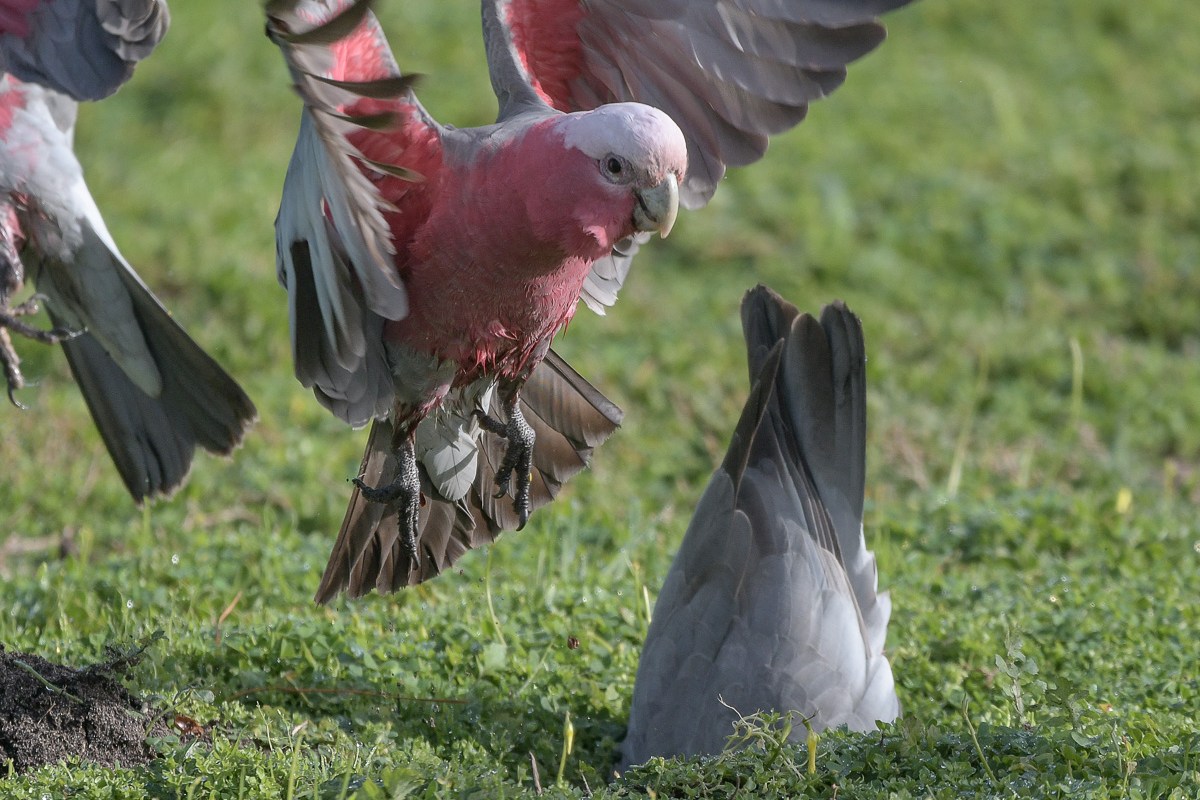
I was watching them fly in, work over an area and then take to wing to see what was available a few metres further on.
One had managed to find a deep divot, and was working away at the bottom, when its mate flew in to see what it had found.